
Manufacturing and Documentation · Siemens EDA
Blueprint-PCB generates documentation directly from the design data and keeps it up to date throughout the product’s lifecycle. There is no need to modify the original PCB file.
To whom
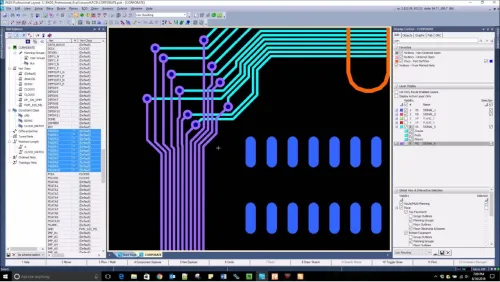
Features
Blueprint understands what PCB design requires and automatically generates views and tables.
Multiple design environments are supported, so the documentation process remains the same even if the CAD software changes.
With our own drawing templates and automated processes, the documentation looks the same from one project to the next.
As the plan changes, the documentation is updated accordingly. This is where the savings are felt the most.
These include PADS, Xpedition, CADSTAR, OrCAD, and Altium, among others. It also imports 3D STEP models.
According to Siemens, documentation time is reduced by as much as 60–80%. The greatest benefit comes from change management, since the documentation is updated along with the plan and does not need to be redone.
Oh. You’ll have access to the full version for 30 days, and we can go over the first set of documents together.
30-day trial
Full version for 30 days, no restrictions. We’ll contact you within one business day to arrange delivery of the license.

We respond on weekdays. Your information will be used only to contact you and will not be shared with third parties.
See also
Manufacturing and Documentation
Gerber and manufacturing data verification, DFM analysis, panelization, and stencils. Catch errors before ordering the board.
Price as quoted
Learn more
Printed Circuit Board Design
PCB design for SMEs and small teams. €306 / month or €3,057 / year, first month free of charge.
from €384.03 incl. tax
Browse and Shop
Printed Circuit Board Design
For large teams and demanding systems. Multi-disk systems, IP security, and integrations with other systems.
Price as quoted
Learn more